 Splitsies
For trips, flatshares, and the dinner where nobody remembers who paid for what.
Split the bill.
Stay friends.
One shared tab for the group. Splitsies tracks who paid for what, then works out the fewest payments to settle up. No ads, no tracking, no spreadsheet at the end of the trip.
Free on iOS & Android
- M Mara owes £45.00
- S Sam owes £30.00
- J Jo is owed £60.00
- L Lena is owed £15.00
New · iOS
Stop typing in expenses
Splitsies can catch your Apple Pay payments for you. Wire up one Shortcuts automation and every purchase lands in a private inbox on your phone, ready to turn into a shared expense. Until you convert one, it never touches the server.
See how to set it up- 1 You pay with Apple Pay, same as always
- 2 The payment shows up in an inbox on your phone, still only on the device
- 3 Convert it to a group expense whenever you get a moment
What it does
One app for every kind of "I'll get this one"
The shape stays simple on purpose. You make a group, add what happened, and settle when you can be bothered.
- group
Groups that stick around
For the ongoing stuff: housemates, the monthly poker night, your kid's nursery payments. Add people once and they stay.
rent · groceries · bills
- trip New
Trips with an end date
A countdown on the home screen, an optional budget, and the ability to tag each expense to a specific day. When you get home, it wraps up.
Lisbon · 4 days left · €620 budget
- expense
However the bill actually split
Equal is the default. But you can also do exact amounts, percentages, or shares if someone ate two pizzas.
equal / exact / % / shares
- settle
The fewest payments
Splitsies works out who pays whom, usually two or three transfers for the whole group. Tap to record each one and balances go to zero.
£90 owed → 3 transfers → £0.00
- activity
A record of everything
Every expense and settlement in date order, for when someone asks "wait, what was that £40 from Tuesday?"
“Mon · Pingo Doce · £40.00”
A look around
No tour needed, but here you go
swipe →
-
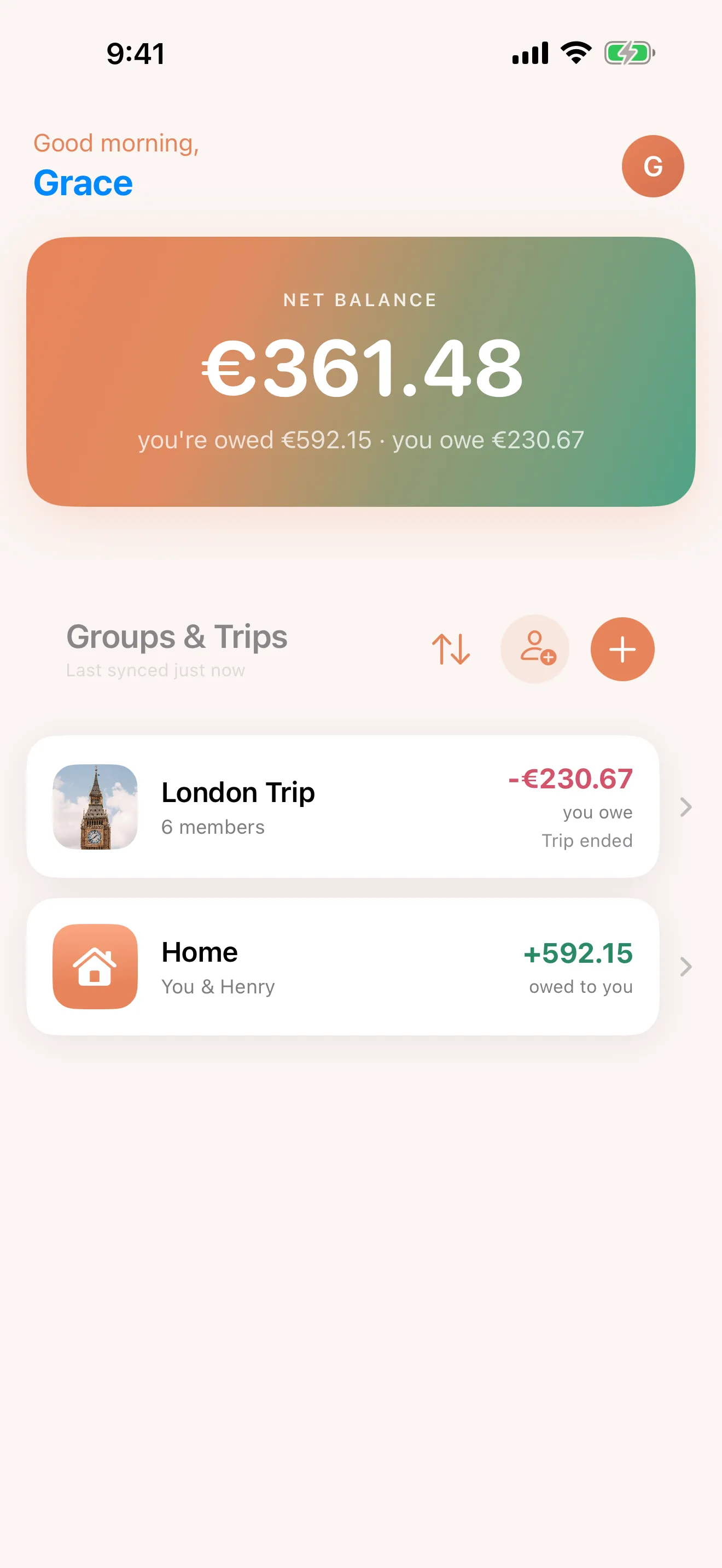
Home -
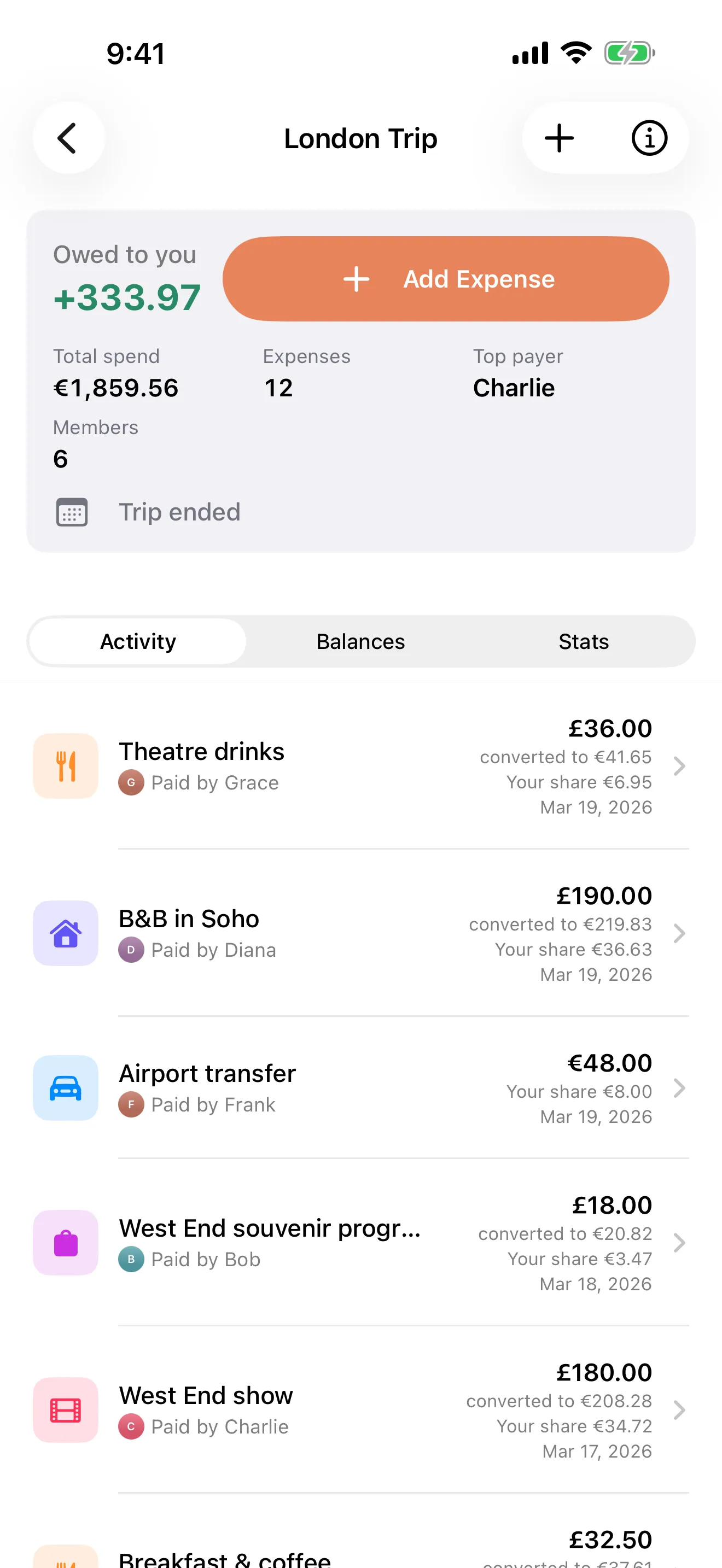
A group -
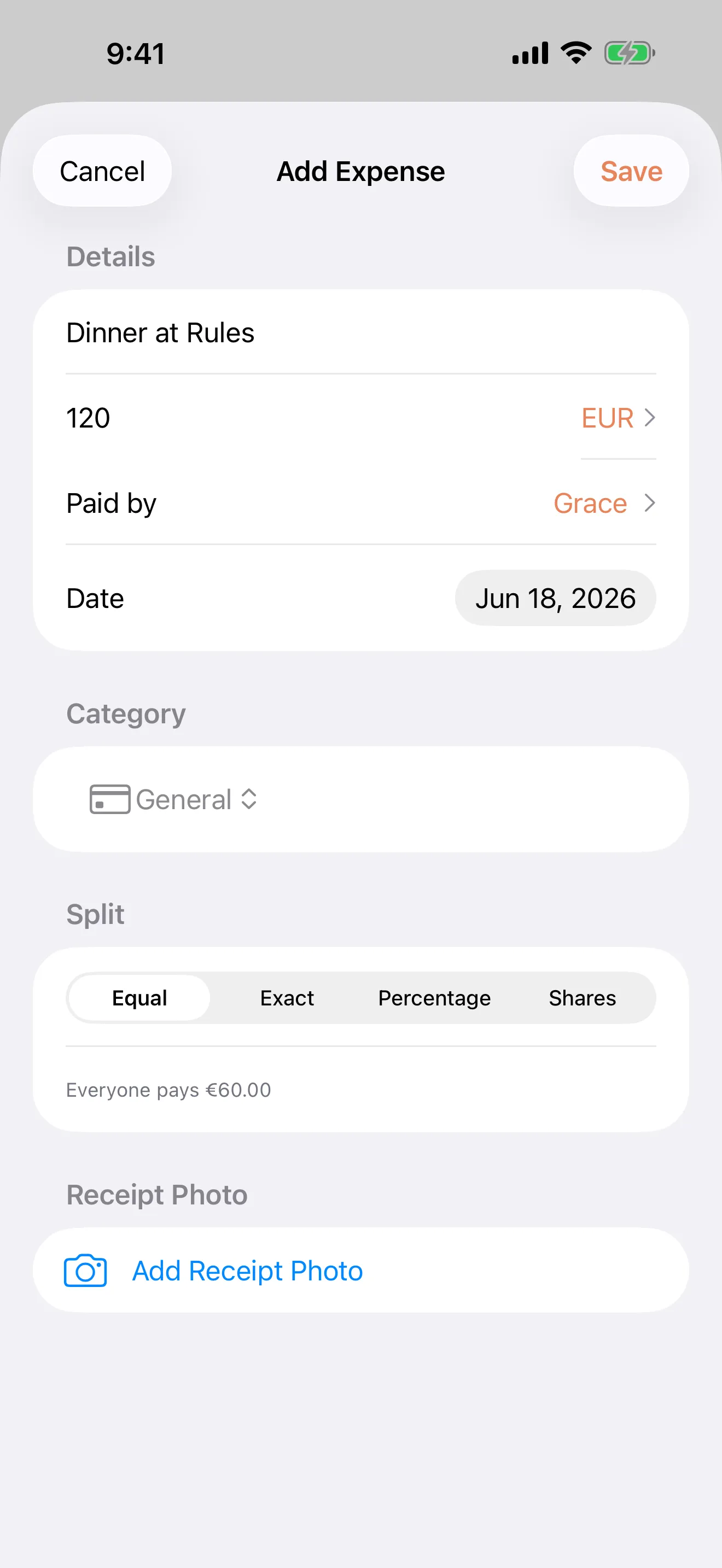
Add an expense -
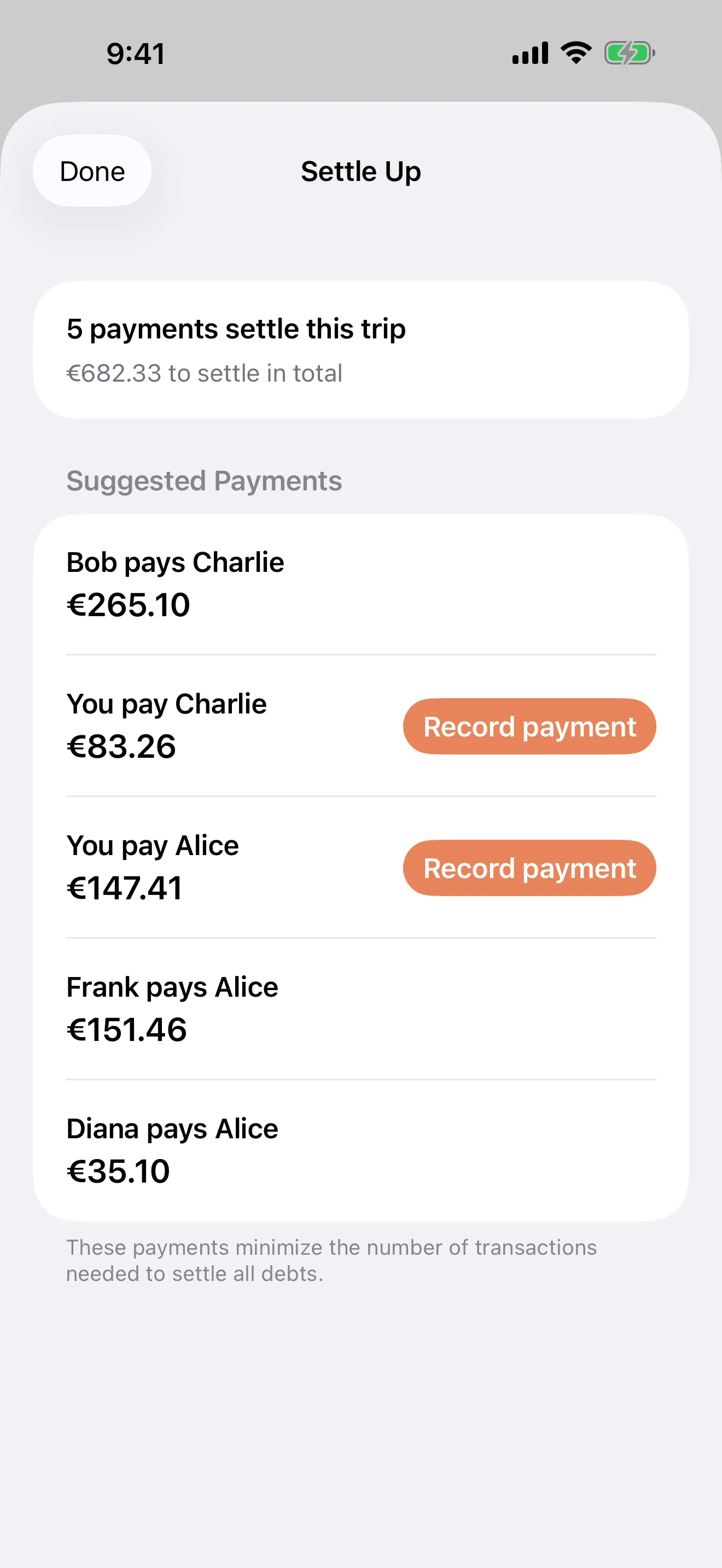
Settle up -
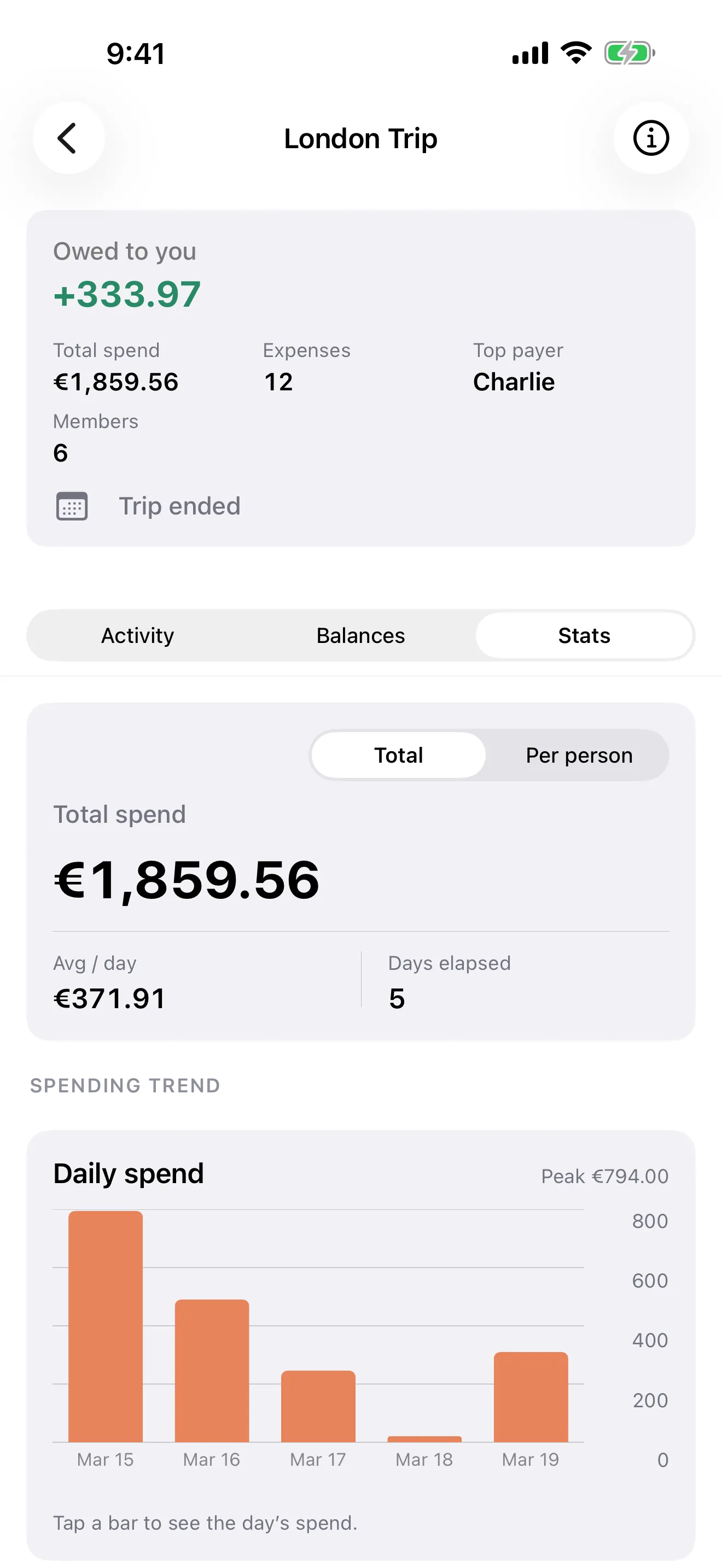
Trip stats
How it works
From a pile of receipts to a clean slate
- First
Make a group
Hit Create, pick a group (ongoing) or a trip (with an end date), and invite your people with a link.
- Then
Add what you spent
When someone pays, open the group and add it. Equal split is the default; change it if it should be something else.
- Eventually
Settle up
The Settle screen shows the smallest number of payments to clear everyone. Tap each one as it happens.
The fine print, up front
A few things you won't find here
This page says the quiet bits out loud because expense apps are usually a bit slippery once you look closely.
-
no ads
Nothing is trying to sell you anything
No banners, no interstitials, no sponsored expense categories. It's a side project, not a venture-backed startup, so there's nobody to please.
-
no tracking
No third-party tracking
Analytics is Umami, self-hosted on my own server. Nothing about your visit gets sent to Google, Facebook, or anywhere else.
-
real delete
Account deletion that actually deletes
Profile → Delete Account removes your direct identifiers immediately. No 30-day grace period, no exit-interview email, no "are you sure?" loop.
-
written down
Written about, not just shipped
When something interesting changes, I usually write a post explaining what and why. The posts below are those.
From the changelog
What's been happening
Capture Apple Pay payments automatically with a Shortcut
Set up the Shortcuts automation that drops Apple Pay payments into a private inbox on your iPhone, ready to turn into shared expenses.
Add everyone to a group, even if they never download the app
Tracked people let you add the whole group up front, so expenses split correctly even when only one person uses Splitsies.
You don't need an account to try Splitsies
A new guest sign-in option lets you start splitting expenses without linking Apple or Google first. Here's how it works and why I added it.
Splitsies is now on Android
After a few months of closed testing, the Android app is out. A rundown of what's in it and what changed on iOS at the same time.
Try it on your next trip
Or just on Friday night, when one person paid for the table again.