 Splitsies
Splitsies is now on Android
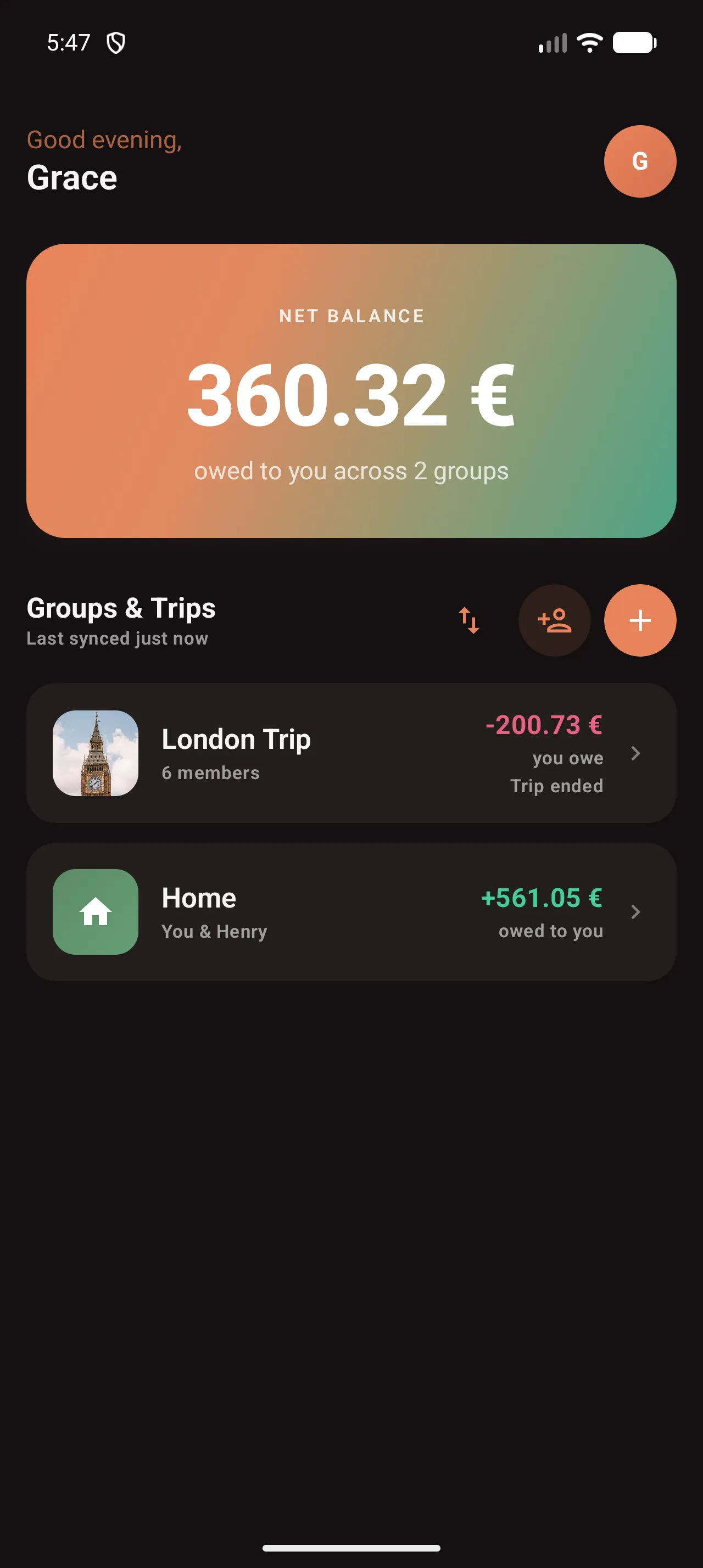
After a few months of closed testing, the Android app is out. A rundown of what's in it and what changed on iOS at the same time.
- android
- trips
- product
- launch
The Android app is out. It’s been in closed testing for a while (long enough to shake out the worst of the edge cases) and it’s now on Google Play for anyone to download.
This matters practically for a reason that kept coming up during testing: shared expenses are, by definition, between multiple people, and not everyone you travel or live with uses an iPhone. Splitsies being iOS-only wasn’t a dealbreaker if your whole group was on iOS, but it was a quiet blocker otherwise. That’s fixed now.
What’s in the Android app
Pretty much everything that’s in the iOS app.
Groups and trips, adding expenses, picking who paid, splitting equally or by custom amounts, the settle-up flow, PDF export, member avatars. The invite link detects which platform you’re on and sends you to the right app store if you haven’t installed Splitsies yet. Groups and trips you create on one platform show up on the other; if someone in your group is on iOS and someone else is on Android, they see the same data.
Trips are fully there too: countdown, budget, day-tagging on expenses. Everything.
Trip summary PDF
When you settle up a trip and archive it, you can now export a PDF summary. It covers who paid what, how the costs broke down across the group, and the settlements that cleared the balances.
I added this mostly because someone emailed to say they needed something to attach to a company expense report. The trip was a team offsite and they’d been tracking everything in Splitsies throughout the week, which was nice to hear, but then they had to manually copy it all into a spreadsheet to submit it. That felt like an avoidable step.
The PDF is generated by the backend, so it looks the same whether you export it from iOS or Android.
Who pays next
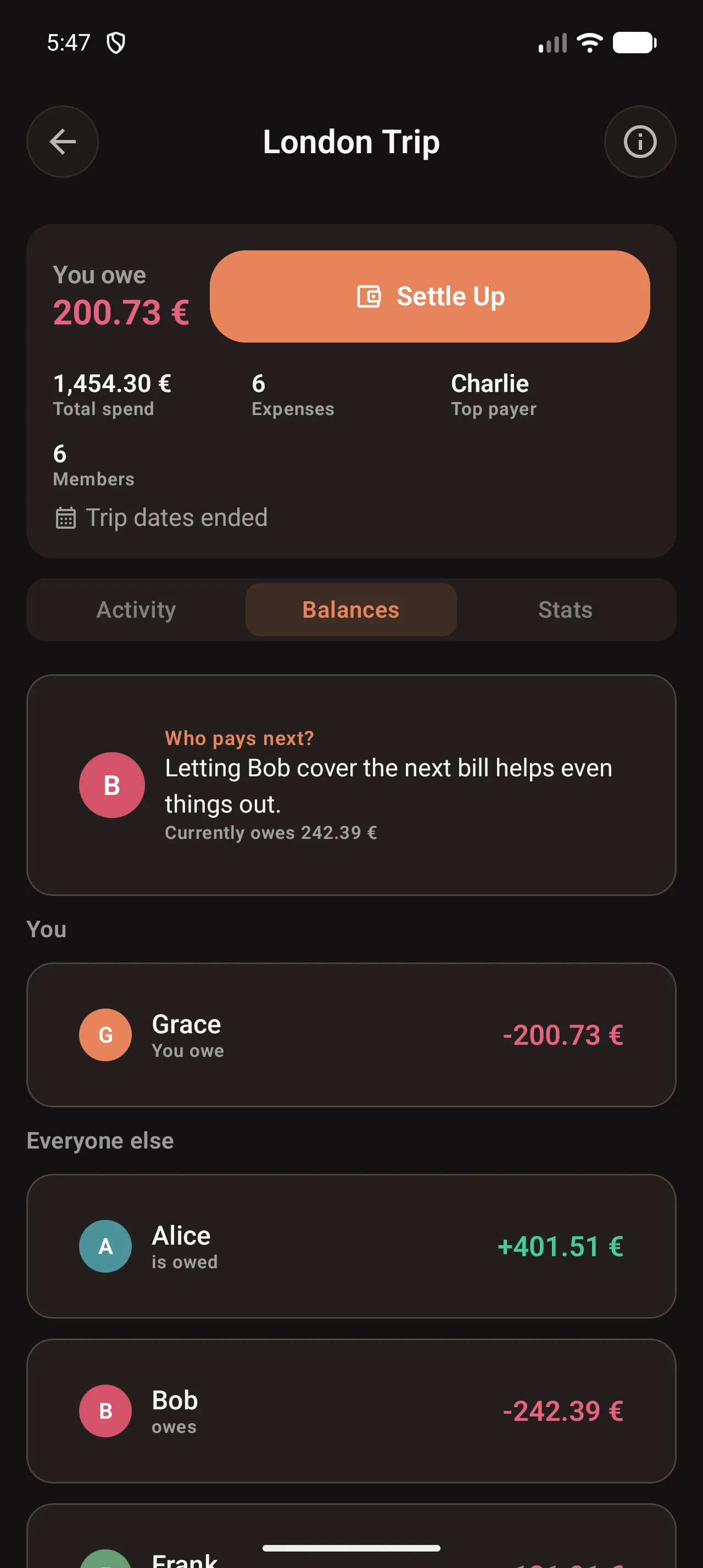
On the group and trip detail screen there’s a small recommendation at the top of the balances section: something like “Jake owes the most, suggest he picks up the next one.”
It’s not algorithmically clever. It just looks at who currently has the biggest outstanding debt and surfaces their name. The intent is to take the “wait, who hasn’t paid for anything recently?” calculation out of the conversation before a dinner. Someone glances at the app, says “Jake, you’re up”, and you get on with it.
If everyone’s square it doesn’t show anything.
Expense payer selection
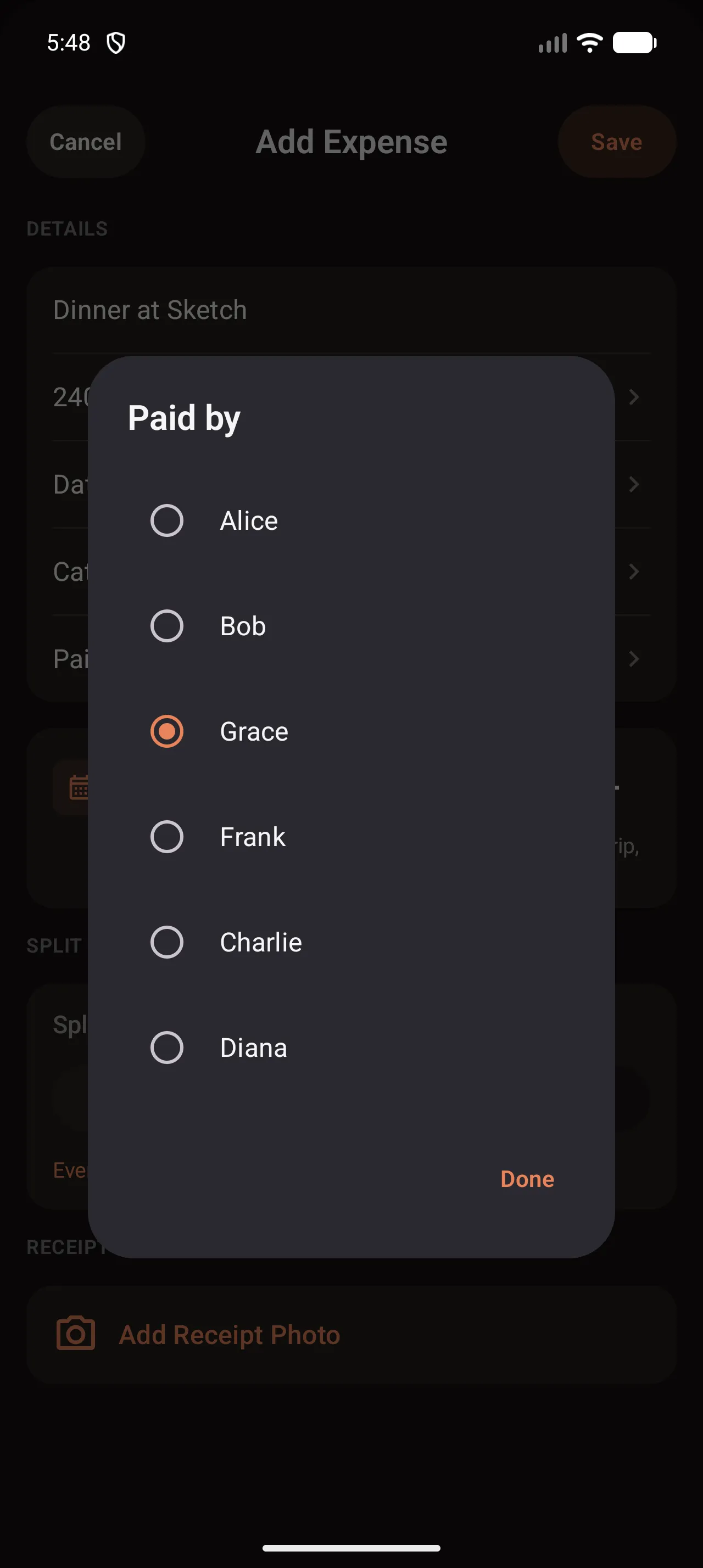
Previously the app assumed the person adding an expense was the one who paid. That’s true often enough, but sometimes someone else at the table gets there first with their card, or you’re logging historical expenses after the fact.
You can now pick the payer from the add-expense screen. It defaults to you, same as before, so if you’re the one doing the logging it’s no extra taps.
A few other things
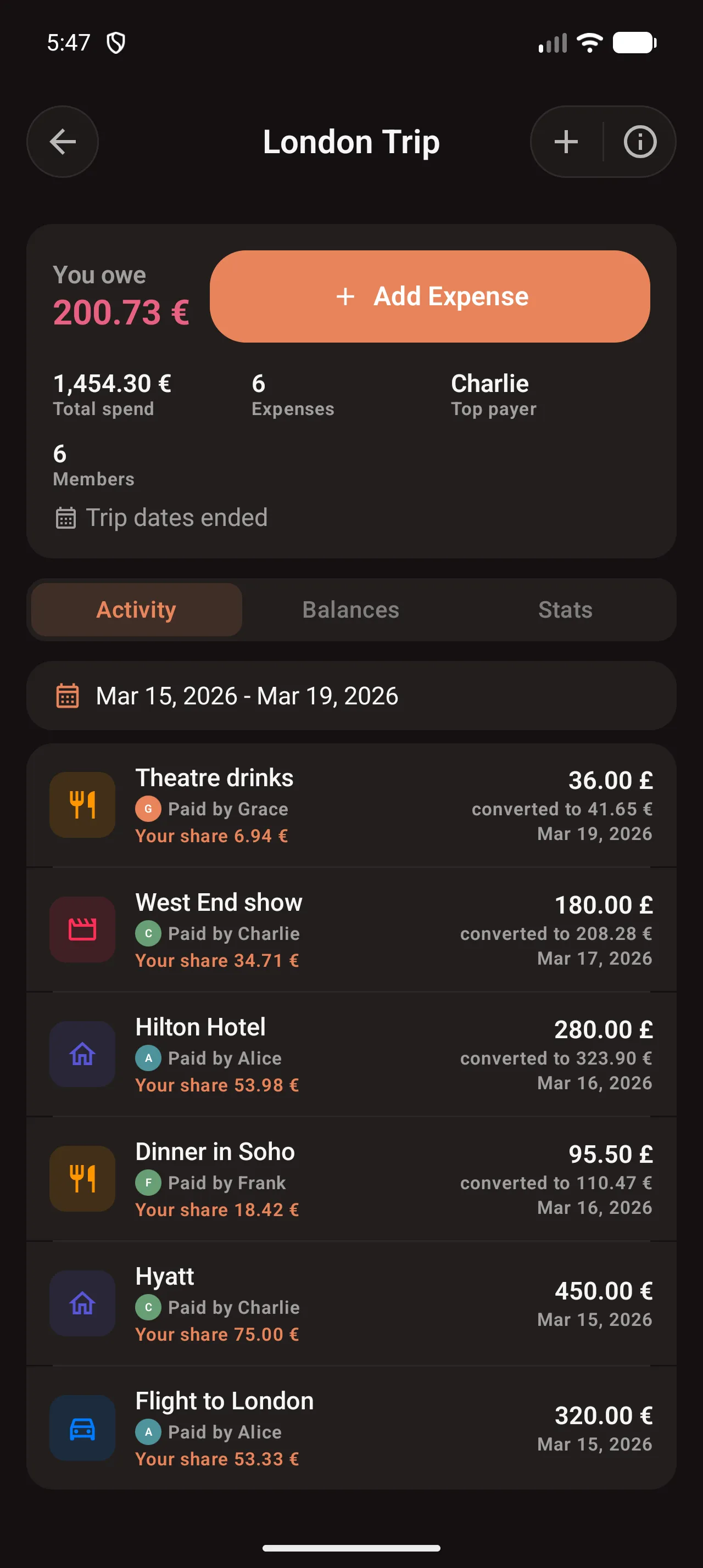
Member avatars show up in the member list and next to individual expenses in the activity feed. If someone hasn’t set a photo it falls back to their initials on a coloured background. I kept pushing this back because it felt cosmetic, but scanning a long expense list really is faster when you can pattern-match on a face rather than reading names.
The trip day-coverage field got simplified. It used to be a start-and-end date picker, which was fiddly for multi-night hotel expenses. It’s now a “spread over N days” stepper. Less flexible in theory; nobody noticed the difference in practice.
Sign-out now wipes local data. The previous behaviour cleared your session token but left cached group data on-device, which was fine until you signed in on a friend’s phone to show them the app. Fixed.
If you’re an existing iOS user and want to get someone onto Android: send them a join link from any group or trip, it’ll route them to Google Play automatically.
If something feels off on either platform, support@splitsies.dev is the right place. I read every one.
Try it for yourself
Or just on Friday night, when one person paid for the table again.