 Splitsies
Add everyone to a group, even if they never download the app
Tracked people let you add the whole group up front, so expenses split correctly even when only one person uses Splitsies.
- groups
- product
- group-travel
The awkward bit with expense apps is timing.
You start a trip group. You add the airbnb for €300. Two people have installed the app, two people are happy for you to track it all because they have enough apps already. If Splitsies only knows about the two app users, the first expense gets split between the wrong people and the balance is off from the first minute.
Then someone joins the next day and you fix the split by hand. Or you forget. I have done both, and neither feels like the tidy little app I was aiming for.
So Splitsies now lets you add people before they have an account.
Add everyone up front
A tracked person is just a name in the group. No account, no install, no “I’ll sign up later” promise required.
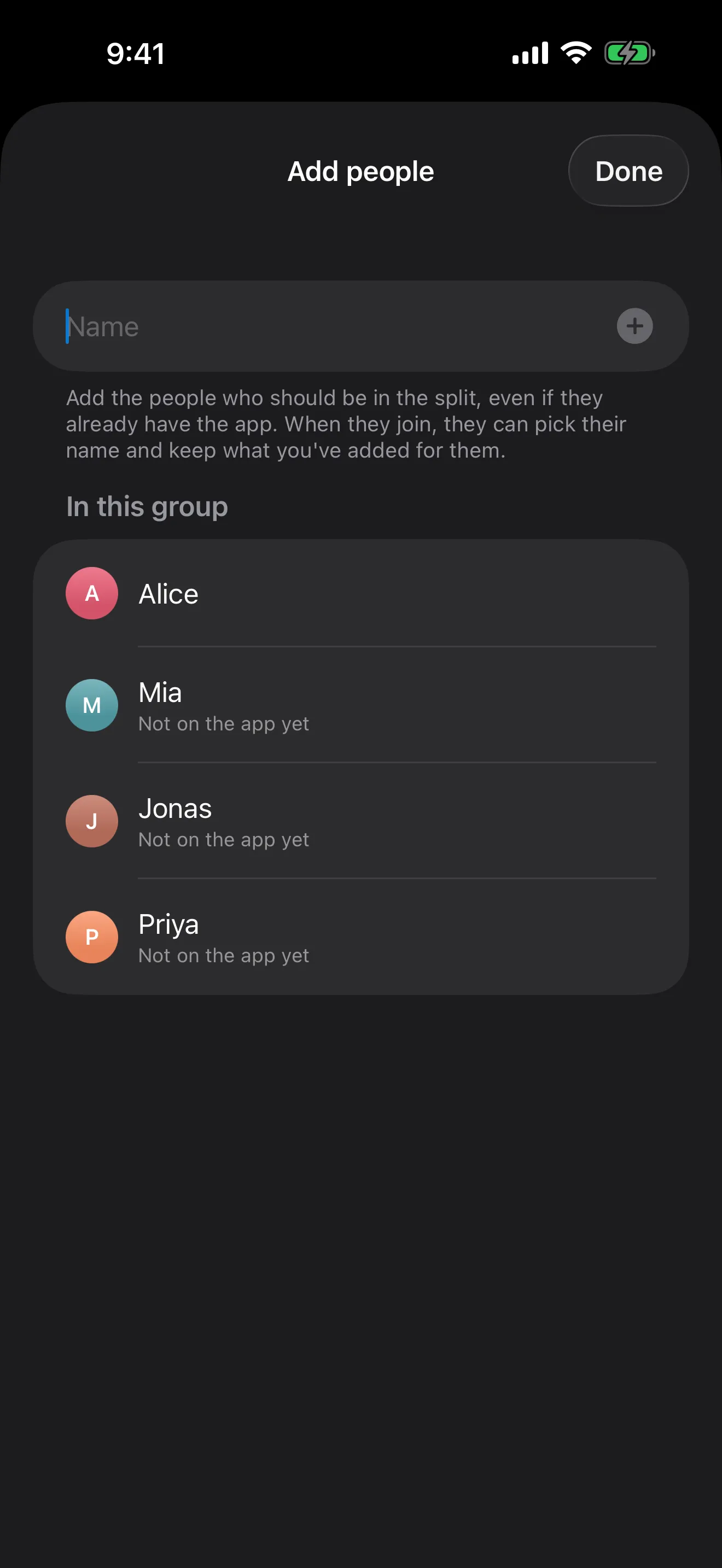
Add Alice, Mia, Jonas, and Priya while you’re setting up Festival Weekend, and they are part of every split immediately. They show up with a small “Tracked in Splitsies” label so you know someone else is managing that person’s share, but money-wise they behave like everyone else.
The add-people sheet is meant to be fast: type a name, tap plus, the name drops into the list, and the field clears for the next person. It sounds tiny, but this is exactly the kind of tiny thing that decides whether a setup flow gets finished before someone changes the subject.
The nudge on new groups
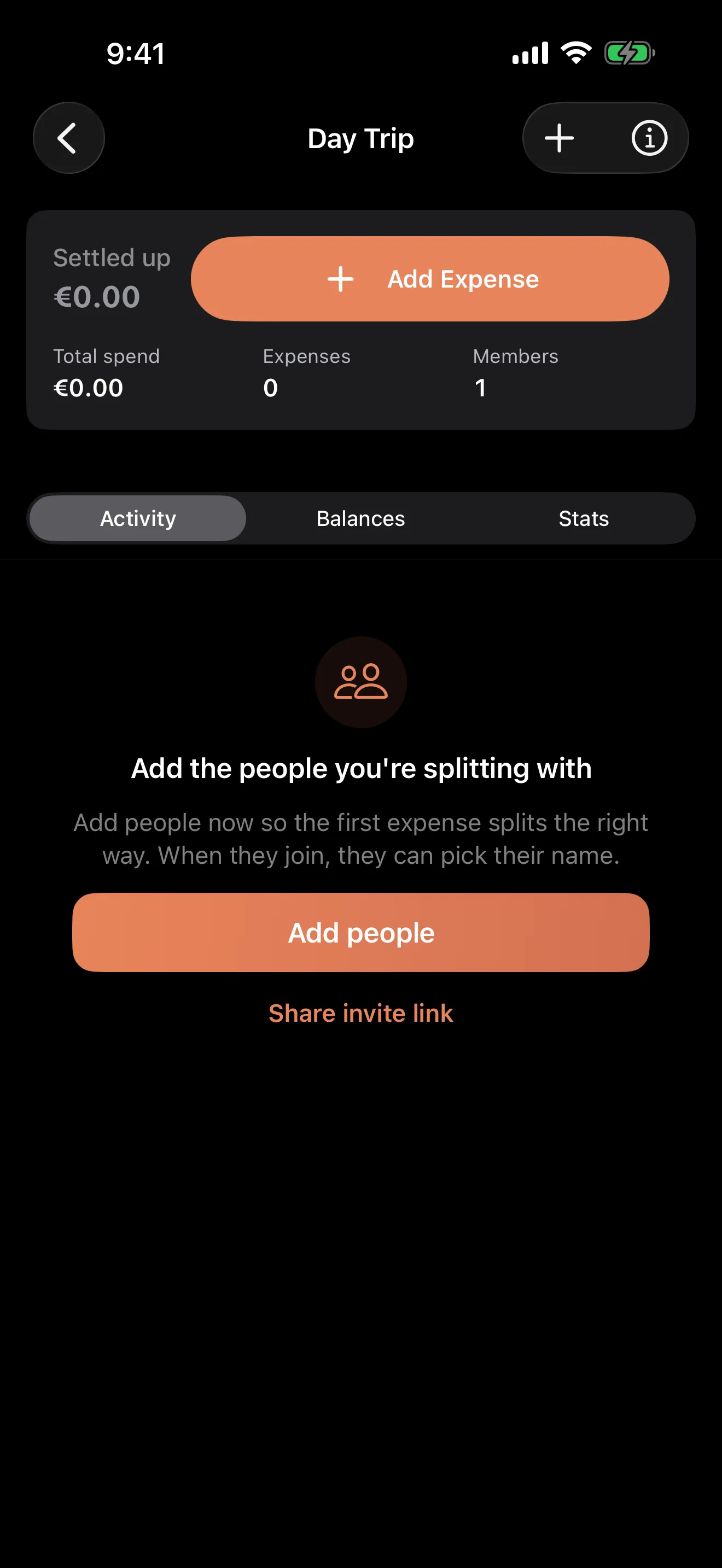
New empty groups now point you at this flow first.
Previously the empty state mostly waited for you to work out what to do next. That was polite, I suppose, but not very helpful. Most groups are useless without the people in them, so the first prompt now says the quiet bit out loud: add the people you’re splitting with.
When someone joins
If Priya opens the invite link later, Splitsies checks whether the group has tracked names. If it does, the join screen asks “Is one of these you?”
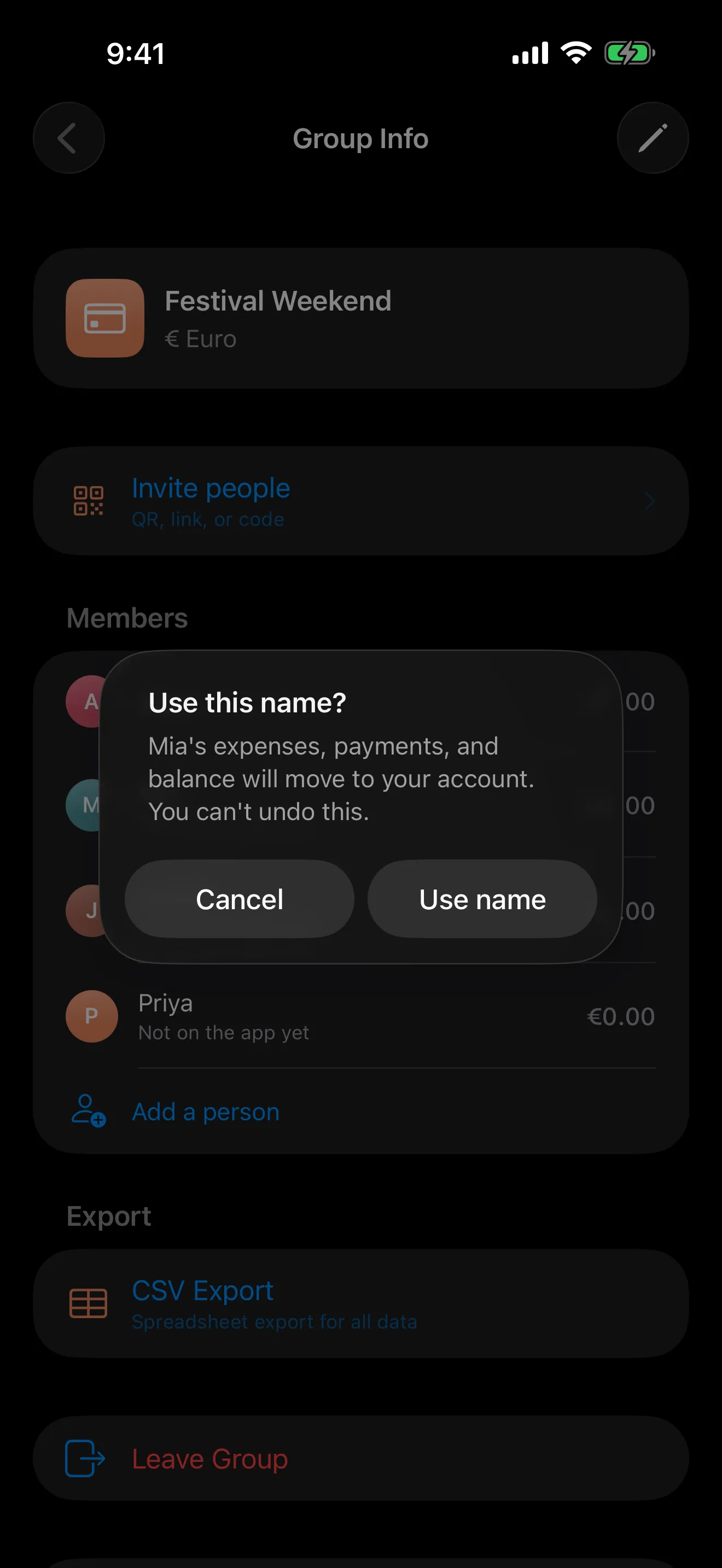
If she picks Priya, that tracked name becomes her account in the group. Any expenses, payments, and balance attached to that name move with it. The €75 share from last night’s booking is already there, which is the whole point.
There is a confirmation step because claiming a name is one-way. Once Priya takes that tracked name, it is no longer a spare name in the group. That sounds obvious, but undo buttons for money-shaped data get complicated very quickly.
Managing tracked people
You can still clean things up if the setup was a bit too optimistic.
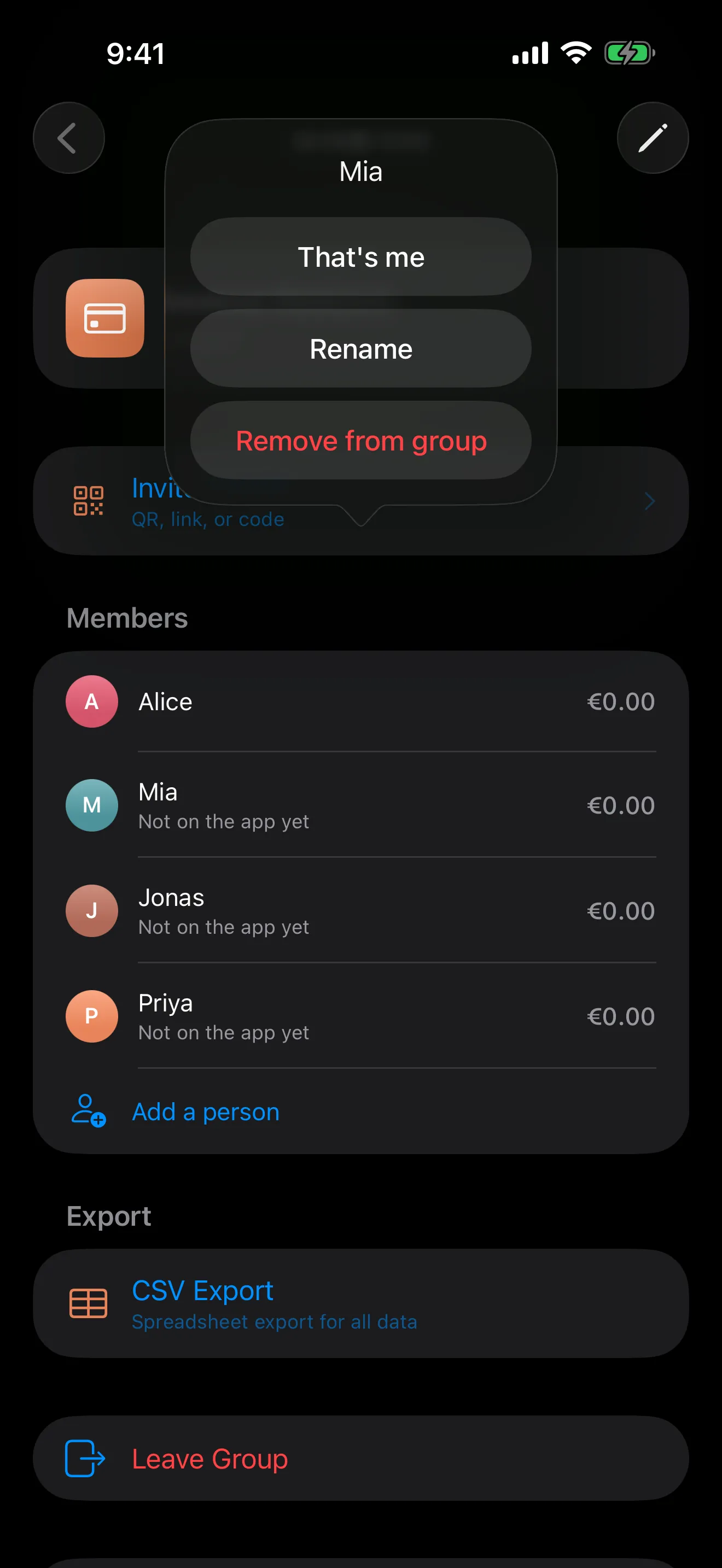
Tap a tracked person and you get Rename, Remove from group, and That’s me. Rename is for typos, or for when “Jonas mate” finally becomes just Jonas. Remove only works while their balance is zero, because deleting someone who owes money is how spreadsheets become haunted. That’s me is useful if you added yourself while testing the group from another device, which I have done more than once.
This is now the main way to add people to a new group. It started as a fix for the one friend who didn’t want another app, but it ended up feeling better as the normal setup path.
If this flow gets in your way, or if you manage to claim the wrong name in a way I haven’t thought through properly, write to support@splitsies.dev. I read every email, including the grumpy ones.
Try it for yourself
Or just on Friday night, when one person paid for the table again.